Fletcher Audio · Riser effect
Vapor Riser FX
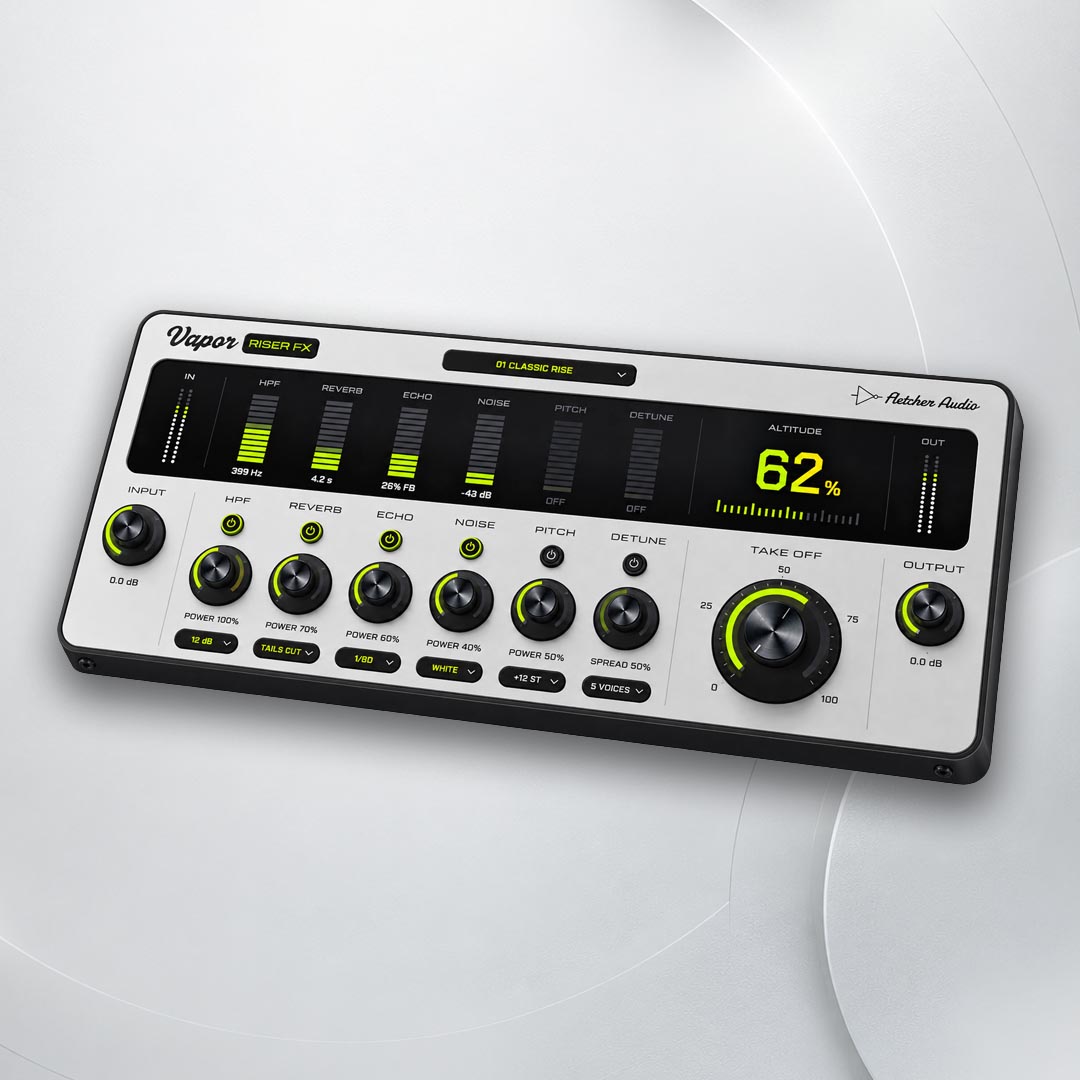
Build a riser with one dial. Take Off sweeps a filter, reverb, echo, noise, pitch and detune together, each with its own power, into a drop that lands on the beat.
Documentation
One dial to the drop.
- Take Off
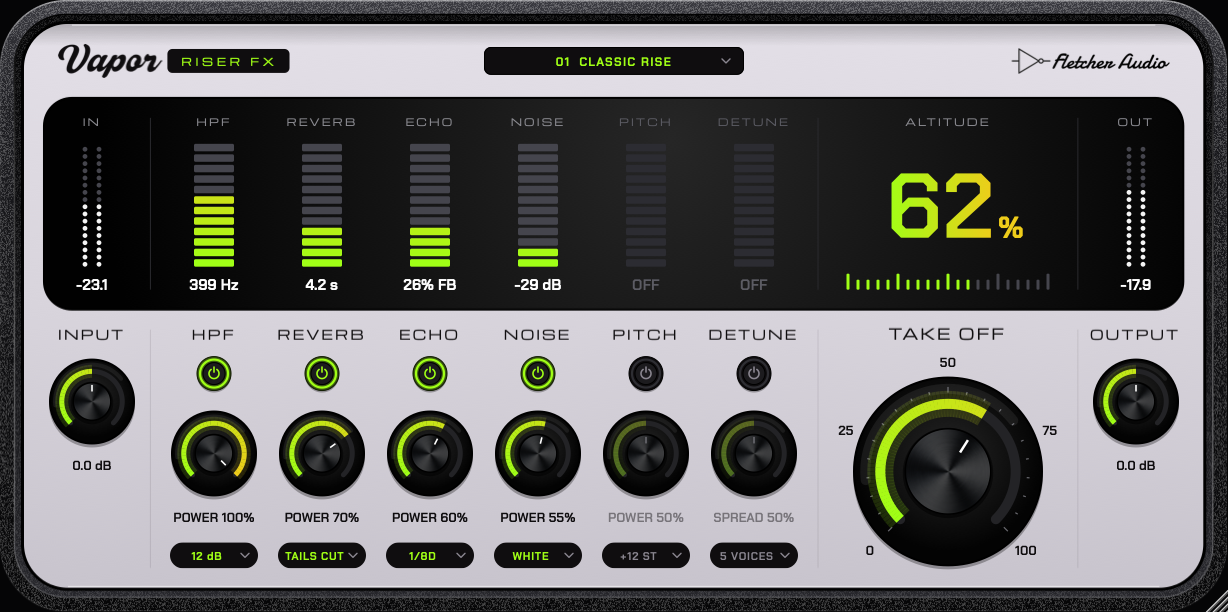
- The one dial you automate. Turn it up over the bars before your drop and every switched-on effect rises with it, each on its own curve, so one automation lane gives a layered build.
- Power and switches
- Switch each effect on and set how far it goes at full Take Off. Detune’s dial sets the spread between its voices.
- Tails
- Cut stops the reverb and echo for a tight drop. Ring lets them ring out after Take Off snaps back to zero.
- Exactly dry at zero
- With Take Off at 0 the output is your input, sample for sample, so you can leave Vapor Riser FX on a track for the whole song.
- Presets
- 12 factory presets, from Classic Rise and Noise Sweep to Octave Launch and Dub Throw. They set the effects and leave Take Off, Input and Output alone.
- Input and Output
- Trim the level going in and coming out. A built-in safety limiter keeps the build under control.
Six effects, one lift
- HPF
- A resonant high-pass that sweeps from 20 Hz to 2.5 kHz, 12 or 24 dB per octave.
- Reverb
- A large reverb whose decay grows to about 12 seconds while the dry signal sinks into it.
- Echo
- Tempo-synced ping-pong from 1/64 to 1/1, straight, dotted or triplet, with darker repeats that never run away.
- Noise
- White or pink noise sweeping up to 12 kHz. It rises exponentially and follows your track’s level, so it blends in.
- Pitch
- A clean rise of up to +5, +7, +12 or +24 semitones that glides smoothly and keeps drums sharp.
- Detune
- 2 to 9 voices spread up to ±50 cents across the stereo field for a wide, shimmering lift.
Every effect, in view
Compatibility
System requirements
- macOS
- macOS 11 or later · Apple Silicon & Intel buildAudio Unit + VST3
- Windows
- Windows 10 / 11 · x64VST3 · 64-bit
AAX / Pro Tools, VST2, 32-bit and Linux builds are not included. Vapor Riser FX has about 45 ms of latency, which your DAW compensates on playback; use it for arranging and mixing rather than live tracking.
Choose your DAW format
| DAW | macOS | Windows |
|---|---|---|
| Logic Pro | AU | Not available |
| Ableton Live | AU / VST3 | VST3 |
| FL Studio | AU / VST3 | VST3 |
Use VST3 and the same plugin version when moving projects between Mac and Windows. Your DAW may require a newer operating system.
Build and validation notes
Mac packages are Developer ID signed and Apple notarized. The universal build contains Apple Silicon and Intel code; Intel hardware testing is pending. The Windows installer is unsigned and may show a Windows reputation prompt. Validation includes Audio Unit and VST3 checks; not every DAW version has been tested.
Installation & updates
Install on macOS
- Save your project and close your DAW.
- Open the downloaded DMG, launch Vapor Riser FX Setup and choose Audio Unit and/or VST3. Logic Pro needs Audio Unit.
- Install, then reopen your DAW. If needed, rescan through Logic’s Plug-in Manager, Live’s Plug-ins settings, or FL Studio’s Manage plugins window.
Manual ZIP: copy Vapor Riser FX.component into ~/Library/Audio/Plug-Ins/Components/ and Vapor Riser FX.vst3 into ~/Library/Audio/Plug-Ins/VST3/. Copy each complete bundle.
Install on Windows
- Save your project and close your DAW.
- Run Vapor Riser FX Setup and approve the administrator prompt.
- Reopen your DAW, enable its VST3 system folder and rescan, then insert Vapor Riser FX on an audio track.
Manual ZIP: copy the complete Vapor Riser FX.vst3 bundle into C:\Program Files\Common Files\VST3\. Use the Windows build; Mac bundles cannot run on Windows.
Update or uninstall
Vapor Riser FX checks for updates when its interface opens, at most once a day. Click the Fletcher Audio logo in the top-right corner to check manually or disable automatic checks. Downloads remain in your AudioNode account.
Close your DAW before running a newer installer. It replaces the existing Vapor Riser FX version; the Mac installer backs up the previous plugin. To uninstall on Mac, run Uninstall Vapor Riser FX in your Applications/Fletcher Audio folder. On Windows, use Settings → Apps → Vapor Riser FX → Uninstall. Your DAW projects are preserved, but projects using a removed plugin will report it missing.
Activate Vapor Riser FX
Open My plugins in the account you used to buy or claim the plugin. Copy your personal activation key or download its licence file.
Open Vapor Riser FX in your DAW, paste the key or choose Import licence file, then activate online. Each licence allows three computers and up to 30 days offline after a successful activation or renewal. Reconnect before the offline period ends.
If you installed an earlier 1.0.0 download, download this licensed edition from your account and run its installer. It also reports version 1.0.0, so the automatic update check will not announce this replacement.
You can download your key file again and deactivate an old computer from your account. Your installer includes the user guide and licence terms; your personal key is provided separately.
What is included?
Vapor Riser FX 1.0.0: the Take Off dial with HPF, reverb, echo, noise, pitch and detune, 12 factory presets, macOS AU/VST3 and Windows x64 VST3 installers, and manual ZIP downloads. This is an effect plugin for a compatible DAW.