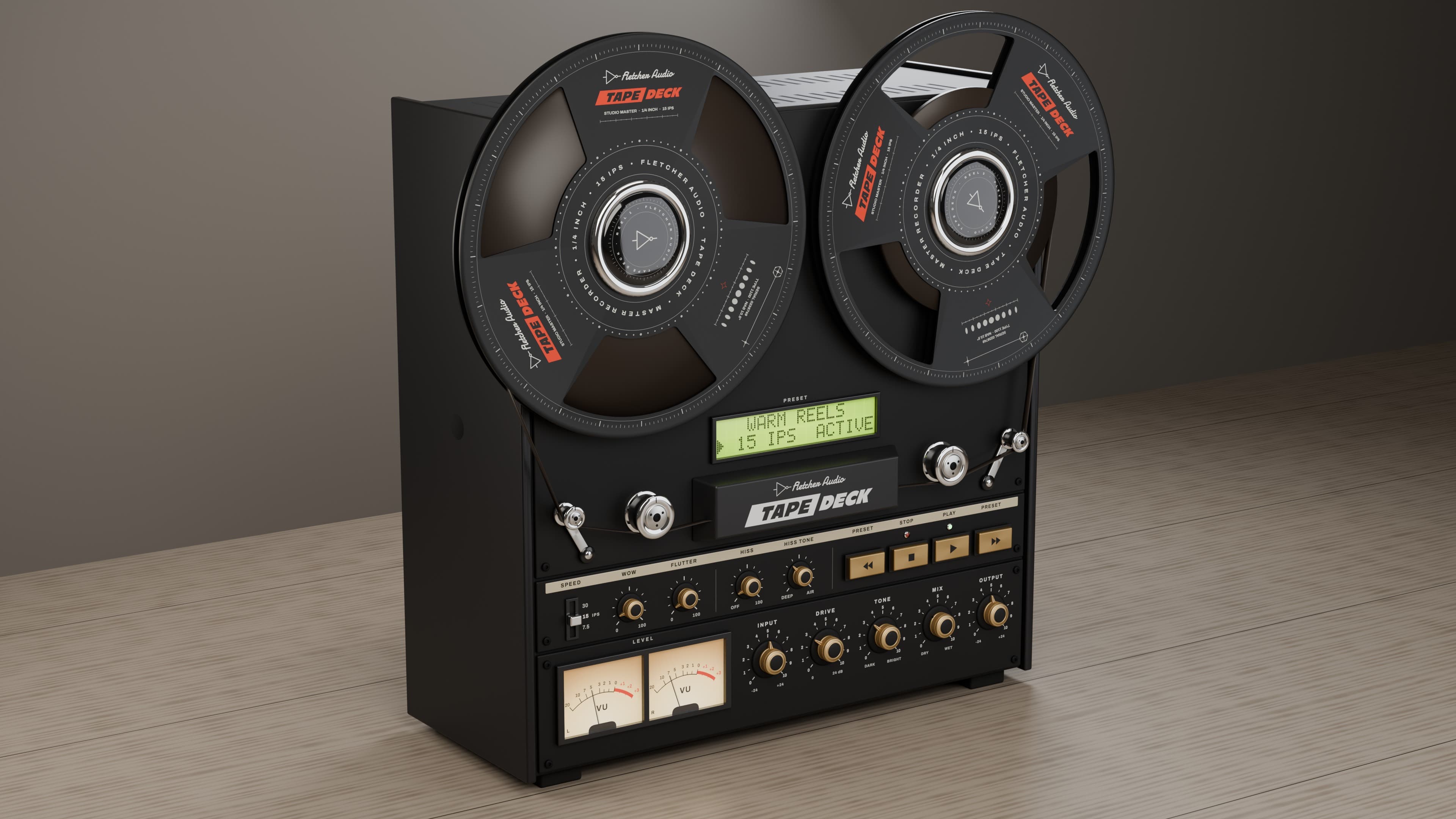
Fletcher Audio · Tape saturation
TAPE DECK
Warmth. Movement. Magnetic character.
Video, 3D product renders and actual plugin interface · macOS and Windows
Shape every detail
7.5, 15 and 30 IPS
Find your starting point
New in Tape Deck 2.0
Fletcher Tape 3
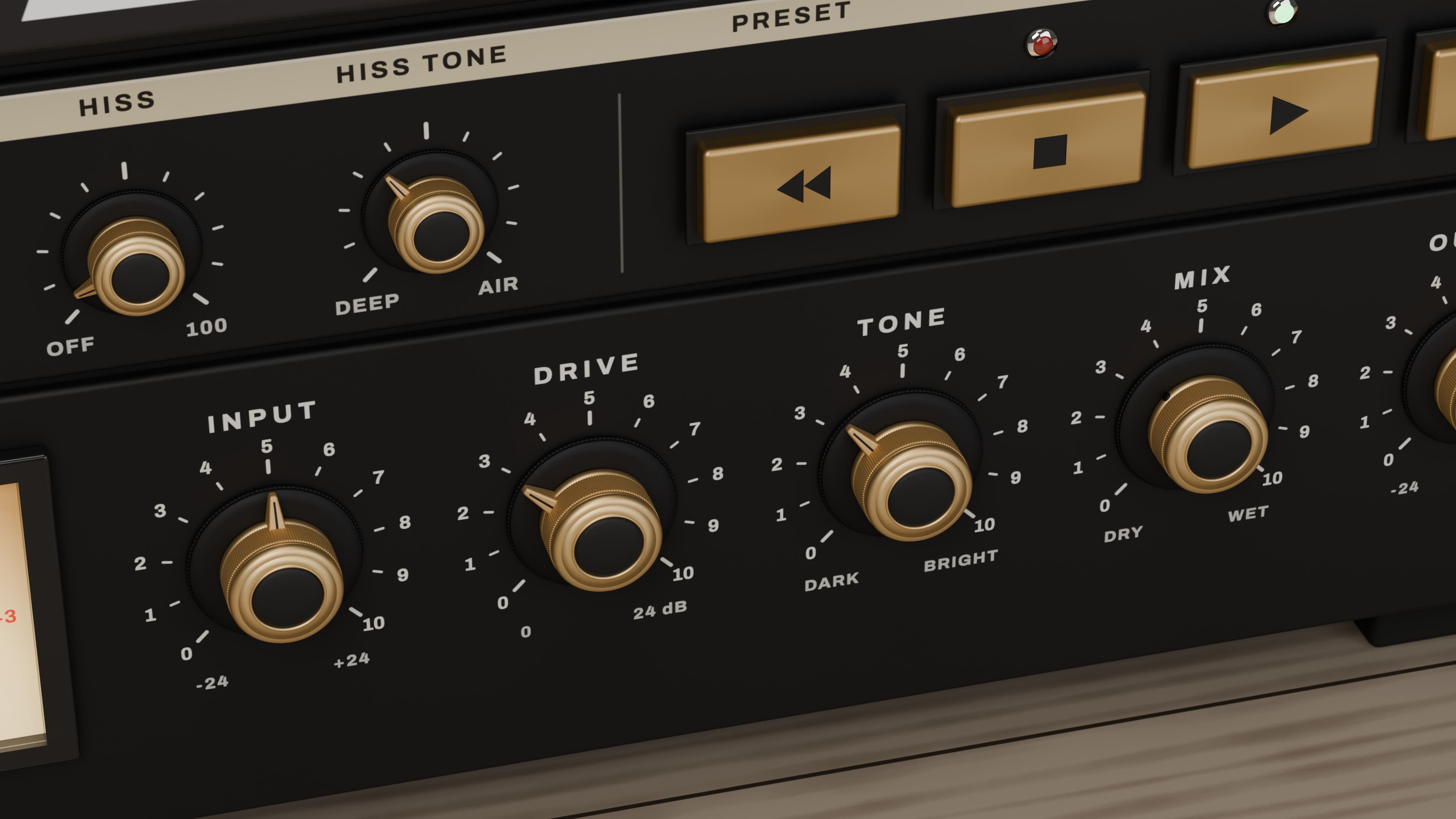
Magnetic hysteresis models the tape’s saturation. Input drives the record amplifier; Drive pushes the oxide. Record and playback EQ change with 7.5, 15 and 30 IPS.
Movement and texture
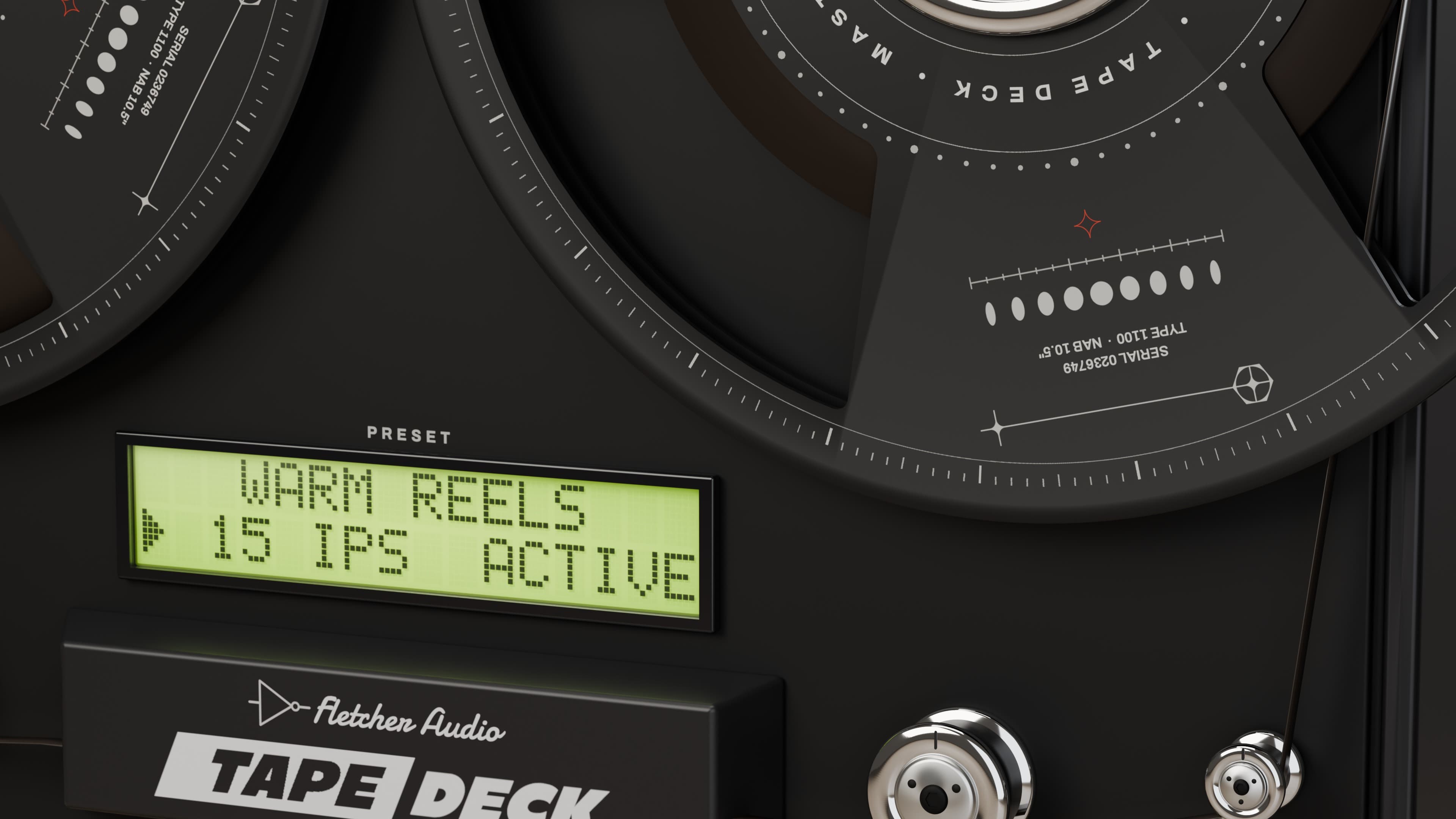
Wow, flutter, scrape flutter and azimuth wander bring motion to the sound. Shape playback hiss, signal-following noise and worn-tape dropouts near the top of the Hiss range.
A deck you can play
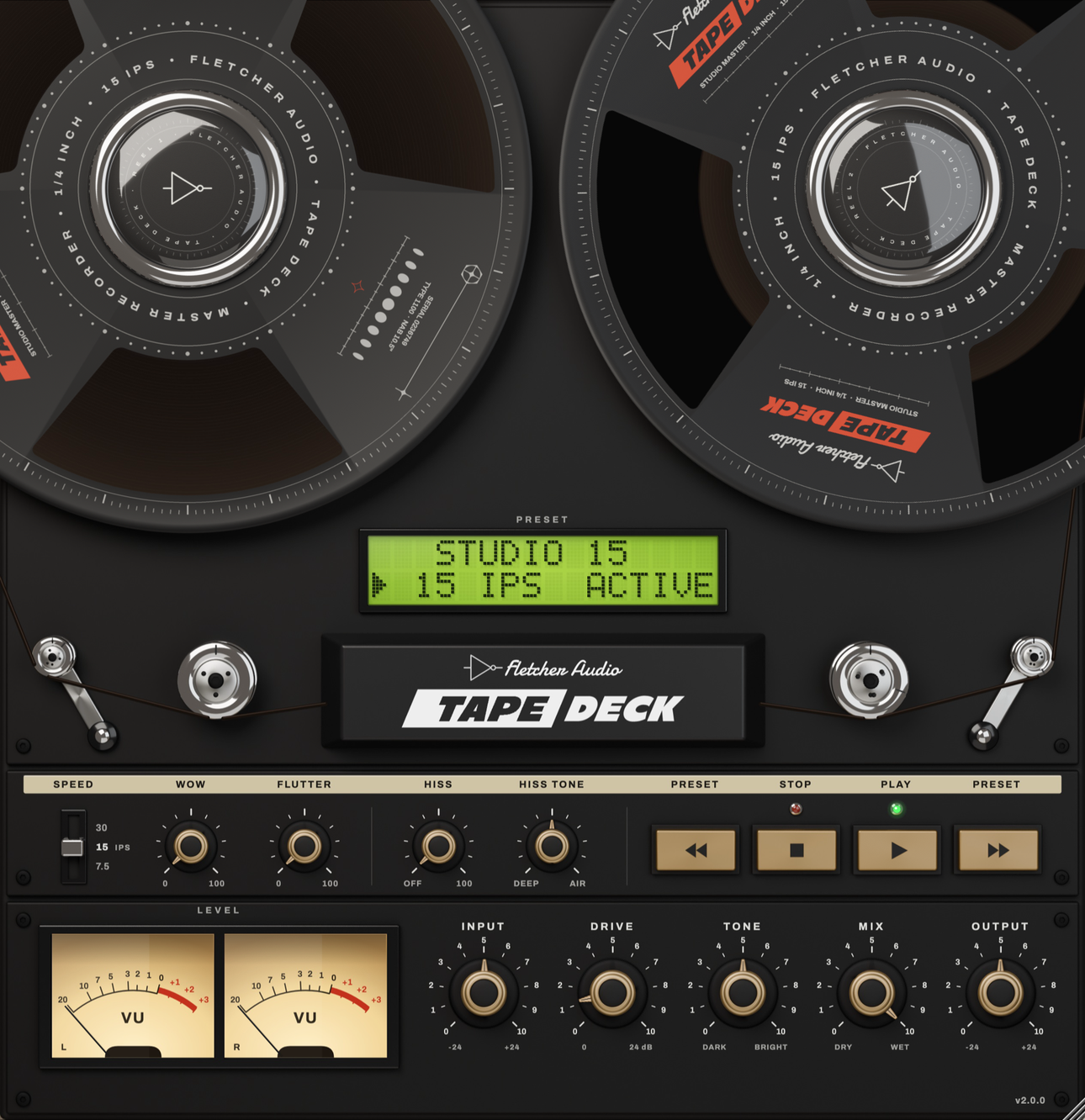
Animated reels, twin output VU meters, brass controls and an LCD for presets and exact values. Resize the window, hold Shift for fine adjustment or right-click a dial to type a value.
Coming from 1.x? Your licence, saved settings and presets carry over, but the new engine changes the sound. Bounce any tracks whose sound must stay the same before updating, and keep your previous installer.
Documentation
Compatibility
System requirements
- macOS
- macOS 11 or later · Apple Silicon & Intel buildAudio Unit + VST3
- Windows
- Windows 10 / 11 · x64VST3 · 64-bit
AAX / Pro Tools, VST2, 32-bit and Linux builds are not included.
Choose your DAW format
| DAW | macOS | Windows |
|---|---|---|
| Logic Pro | AU | Not available |
| Ableton Live | AU / VST3 | VST3 |
| FL Studio | AU / VST3 | VST3 |
Use VST3 when sharing projects between Mac and Windows. Install the same Tape Deck version on both computers.
Compatibility notes & host guides
The Mac release contains native Apple Silicon and Intel builds. Intel hardware testing is still pending. The DAW list above shows format support; not every DAW version has been tested. Your DAW may require a newer operating system than the plugin itself.
Setup guides: Logic Pro · Ableton Live · FL Studio.
Make it your own.
- Input / Output
- Push the record amplifier with Input, then balance the final level with Output.
- Drive
- Push the magnetic tape model from subtle harmonics into saturation and compression.
- Tone
- Shape the playback colour from dark to bright.
- Wow / Flutter
- Control slow pitch drift and faster tape movement independently.
- Hiss / Hiss Tone
- Set the noise level and colour, from deeper texture to bright air.
- Mix
- Blend the processed and original signals.
Setup & details
Activate Tape Deck
Your purchase or completed giveaway claim includes a Tape Deck licence at no extra cost. Sign in to the AudioNode account you used to buy or claim it, then open My licences to copy your key or download your licence file.
Open Tape Deck in your DAW and paste the key or import the file when prompted. To reopen the Licence panel, click the Fletcher Audio print on the head cover or the version number, then choose Licence. An internet connection is required to activate. Each licence allows 3 computers and up to 30 days offline after activation or renewal; reconnect before that period ends to keep using the effect.
Replacing a computer? Deactivate the old computer in My licences to free a slot. Your key and licence file are always available there if you need them again.
macOS · Logic Pro, Ableton Live & FL Studio
- Close your DAW. Open the Mac installer disk image, launch Tape Deck Setup, select AU and/or VST3, then click Install Tape Deck. No administrator password is needed. Reopen your DAW when it finishes. For a manual ZIP installation:
- In Finder, choose Go → Go to Folder. Copy the entire Tape Deck.component bundle into
~/Library/Audio/Plug-Ins/Components/for Logic Pro. - For VST3, copy the entire Tape Deck.vst3 bundle into
~/Library/Audio/Plug-Ins/VST3/. Create the folder if it does not exist. - Restart your DAW and rescan plugins. In Logic Pro, use Settings → Plug-in Manager. In Live, enable VST3 system folders or Audio Units in Plug-ins settings. In FL Studio, use Options → Manage plugins → Find installed plugins.
Upgrading from Vintage Tape or Tape Rack? Remove the older bundles from your plugin folders before copying Tape Deck, and keep a backup. The plugin identifiers are unchanged so existing projects can recognize it. Avoid duplicate installations.
Windows · Ableton Live & FL Studio
- Close your DAW. Run the Windows Setup file and approve the administrator prompt. Reopen your DAW when installation finishes. For a manual ZIP installation:
- Copy the complete Tape Deck.vst3 bundle into
C:\Program Files\Common Files\VST3\. Windows may request administrator permission. - In Live, enable VST3 system folders and rescan. In FL Studio, open Options → Manage plugins → Find installed plugins.
- Add Tape Deck as an effect on an audio or mixer track.
A Mac .vst3 cannot run on Windows. Choose the archive for your operating system.
Update or uninstall
Tape Deck 2.0.0 is a free upgrade for existing licence holders. Download it using the AudioNode account you used to buy or claim Tape Deck. Existing projects recall the same settings, but the new engine sounds different; bounce tracks before updating if you need to preserve their sound.
Tape Deck checks for updates in the background when you open its interface, at most once every 24 hours. Click the Fletcher Audio print on the head cover or the version number to check manually or turn automatic checks off. When an update is available, follow the link to download its installer from your AudioNode account.
Run the new installer to replace an existing Tape Deck installation. The Mac installer backs up the previous plugin first. On Windows, legacy Vintage Tape or Tape Rack bundles must be removed before installing Tape Deck.
Save your project and close your DAW before replacing a plugin. Keep the previous ZIP if you need to roll back. On Mac, run Uninstall Tape Deck in your Applications/Fletcher Audio folder. On Windows, use Settings → Apps → Installed apps → Tape Deck → Uninstall. For a manual ZIP installation, remove the installed bundles from the folders above. Rescan your DAW afterward. Existing projects using the plugin will report it missing.
Which download should I choose?
Use the macOS installer for Audio Unit and VST3 on Mac, or the Windows installer for 64-bit VST3 on Windows. Manual ZIP downloads are also available in your purchased downloads.
Choose Audio Unit for Logic Pro. Ableton Live and FL Studio can use VST3 on both platforms. Tape Deck is an audio effect: insert it on an audio or mixer track, rather than an instrument track expecting it to generate sound.
The plugin does not appear in my DAW
Close and reopen your DAW after installation, enable the correct AU or VST3 plugin folder, then rescan. On Mac, the installer uses your user Library folders, shown in the instructions above. Make sure you downloaded the build for your operating system and are using a 64-bit host.