Fletcher Audio · Deep Synthesizer
Nodium
Shape the wave. Scatter the sound.
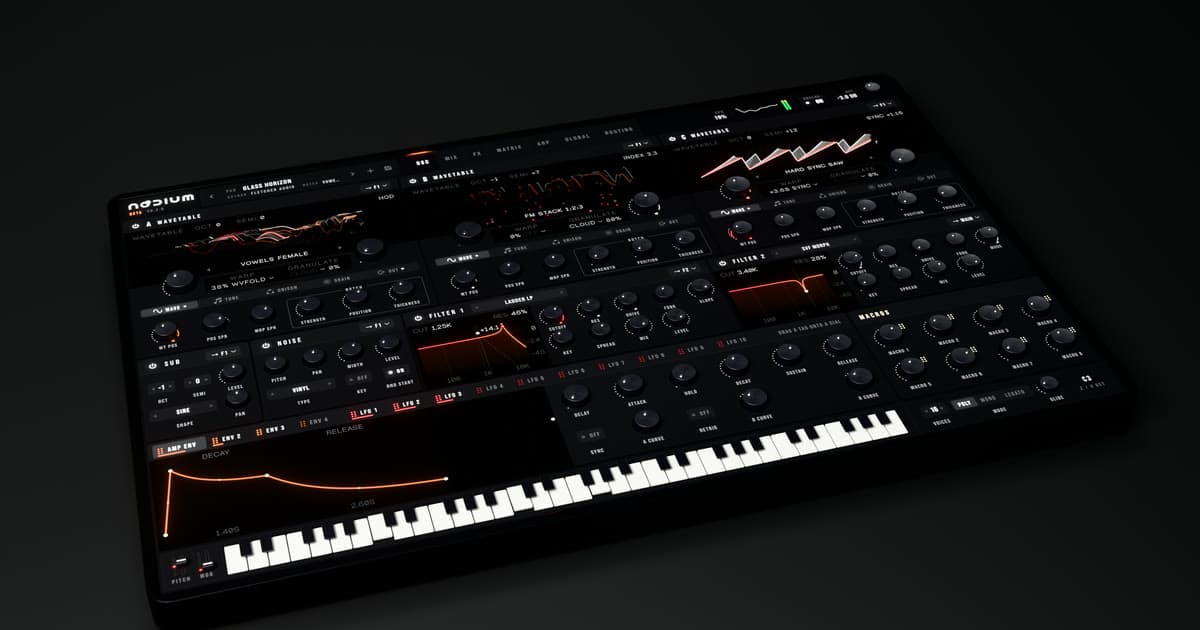
Three oscillatorsA warp and granulator for each
Four grain typesCloud, Shimmer, Reverse, Freeze
Your own tablesImport wavetable WAV files
Build the whole sound
- Wavetable oscillators
- Start with the factory library or import your own wavetable WAV files. Shape each oscillator with its own warp, unison and granulator, then add sub and noise.
- Four ways to granulate
- Cloud adds a drifting wash; Shimmer adds pitched layers; Reverse turns grains backwards; Freeze holds the note’s opening moment. Control size, density, randomness and spray for each oscillator.
- Circuit-modelled filters
- Shape resonance and drive with modelled and digital filters. Route the stereo filters in series or parallel, and add voice-to-voice variation with Analog.
- Modulation and performance
- Four envelopes, ten LFOs, eight macros and a 64-slot modulation matrix. Add MPE expression, play mono or legato, or move between four parameter snapshots with Morph.
- Effects and patterns
- Build chains in the main effects rack and two buses. Add movement with the arpeggiator’s 16-step pattern, then save or import presets for your next session.
Documentation
User guideInstallation, controls and getting started
Download PDFLicence termsUsage rights and licence agreement
Download PDFMac and Windows
- macOS
- macOS 11 or later · Apple Silicon & Intel buildAudio Unit + VST3 + Standalone
- Windows
- Windows 10 / 11 · x64 · Microsoft Edge WebView2 RuntimeVST3 + Standalone · 64-bit
Installation and activation
Activate Nodium
Open My plugins in the account you used to buy or claim the plugin. Copy your personal activation key or download its licence file.
Open Nodium in your DAW, paste the key or choose Import licence file, then activate online. Each licence allows three computers and up to 30 days offline after a successful activation or renewal. Reconnect before the offline period ends.
You can download your key file again and deactivate an old computer from your account. Your installer includes the user guide and licence terms; your personal key is provided separately.