Fletcher Audio · Golden Age Series
6386e Tube Compressor
Shape tracks and buses with 6386-inspired tube character, responsive compression, compensated Heat and external sidechain control. The first Golden Age Series plugin.
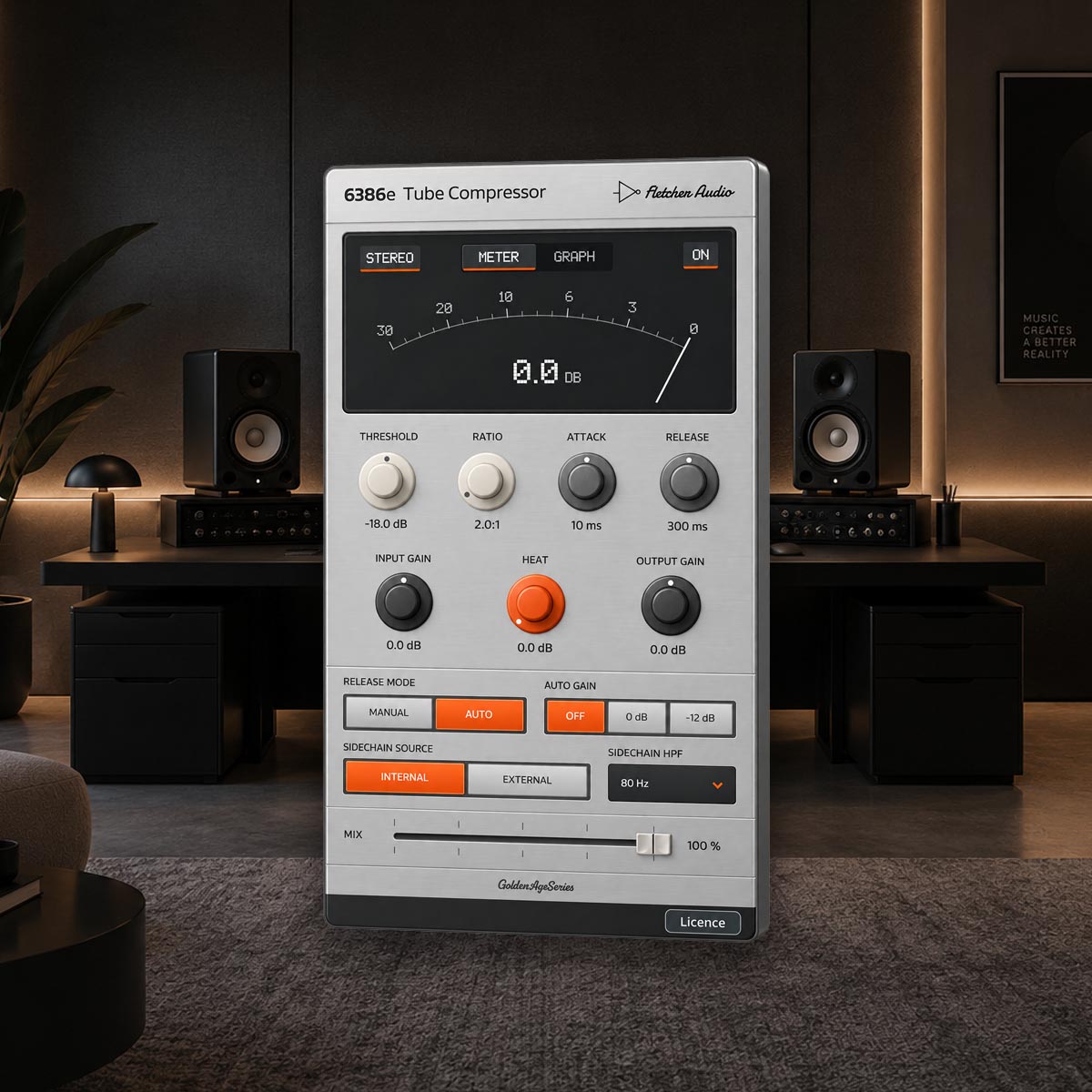
Documentation
Compression with room for character.
- Find the response
- Threshold from −36 to 0 dB and Ratio from 1.5:1 to 10:1 shape compression around an 8 dB soft knee. Move from gentle bus control to more assertive track compression.
- Shape the movement
- Attack spans 0.2–80 ms and Release spans 20–2000 ms. Manual follows the fast envelope; Auto adds a slower recovery tail that responds to sustained demand.
- Turn up the Heat
- Drive a separate fixed-bias tube stage from 0 to +24 dB. Small-signal gain compensation lets you explore its colour, then use Output Gain to match the listening level.
- Choose your makeup
- Auto Gain offers Off, 0 dB and −12 dB reference settings. It calculates static makeup from Threshold and Ratio; it does not normalize peaks or target loudness.
- Give another track control
- Switch the detector to External and choose a kick, vocal or other track in your DAW’s sidechain menu. The detector HPF offers Off, 40, 80, 120 and 180 Hz for either source.
- Keep the blend in reach
- Use Stereo linking for shared gain reduction or Dual for independent channels. Mix blends the wet signal from 0–100%, with ±18 dB Input and Output Gain controls.
Your compressor, in view
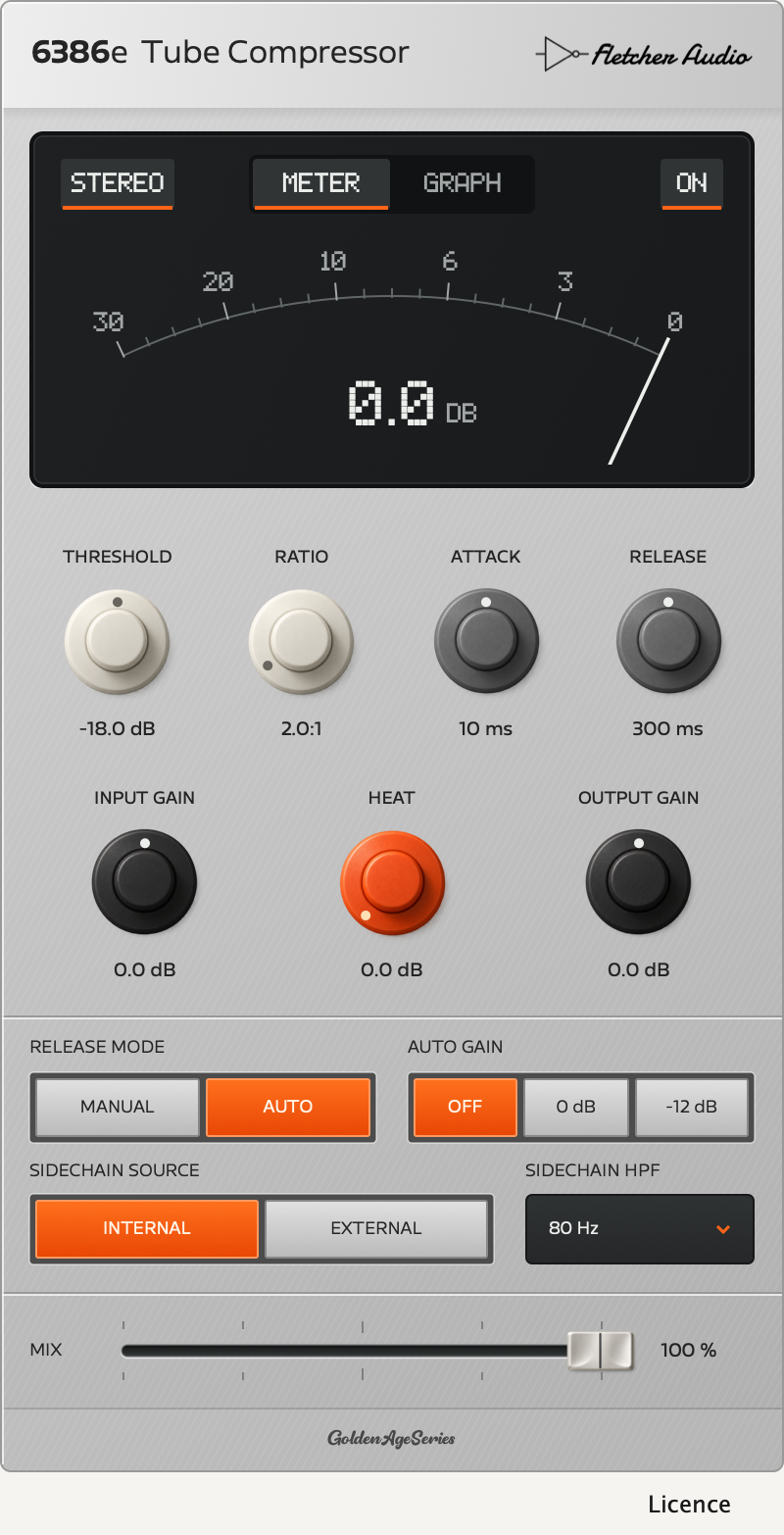
Follow the gain reduction.
- Meter
- An analogue-style needle and numeric readout show nominal gain-control reduction. In Dual mode, the display follows whichever channel has more reduction.
- Graph
- An indicative Threshold/Ratio curve sits beside approximately six seconds of gain-reduction history. History runs while the editor is open; it is not an audio waveform or an output-level meter.
- Familiar gestures
- Drag to adjust, hold Shift for finer control, or type a value. Double-click a dial to reset it. Your DAW saves the parameters and Meter/Graph view with the project.
About the 6386 model
The “e” stands for emulation. This is an original behavioural compressor built around a fitted 6386-family tube transfer. It uses quasi-static loaded operating points, a feed-forward detector and a separate fixed-bias Heat stage, with fixed 4× oversampling. It is not a complete reactive circuit simulation or a measured match to a particular hardware compressor. The guide includes the implemented signal flow and model boundaries.
Compatibility
System requirements
- macOS 11 or later
- Universal Apple Silicon and Intel build.Audio Unit and VST3 · Mono or stereo audio
- Activation
- An AudioNode account and internet access for initial activation and successful validation at least every 30 days.
Windows files and system requirements are still being validated. Confirmed platform details here cover macOS; your DAW may require a newer macOS version. AAX / Pro Tools, VST2 and standalone applications are not included.
Choose your macOS format
| DAW | Format |
|---|---|
| Logic Pro | Audio Unit |
| Ableton Live | Audio Unit or VST3 |
| FL Studio | Audio Unit or VST3 |
| Other compatible hosts | Audio Unit or VST3 |
Choose the external key track in your DAW’s native sidechain menu, then select External in 6386e. Routing options depend on the host.
Build and validation notes
Runtime checks use Apple Silicon. An Intel binary slice is included in the universal build; direct Intel-host validation is not claimed. Local checks cover processor state, mono/stereo routing, external sidechain isolation and AU bus formats. Final packages and activation are being verified before downloads open. No claim is made that every DAW version has been tested.
Installation & activation
Install on macOS
- Save your project and close your DAW.
- Open the DMG and launch 6386e Tube Compressor Setup. Read and accept the licence agreement, then select Audio Unit and/or VST3. Logic Pro needs Audio Unit.
- Install for your Mac account, reopen your DAW and rescan plug-ins if needed. No administrator password is needed for this per-user installation.
Manual ZIP: copy the complete 6386e Tube Compressor.component bundle to ~/Library/Audio/Plug-Ins/Components/ and 6386e Tube Compressor.vst3 to ~/Library/Audio/Plug-Ins/VST3/.
Activate and work offline
Open 6386e in your DAW. If it is not authorised, choose Find my licence to open your AudioNode account. Enter your licence key, or import your licence file, then choose Activate.
After activation, the key field is hidden. Choose Manage my licence to open your account or Return to plugin to continue. The plugin does not save your licence key. It saves a signed authorisation for this computer and periodically renews it online, normally after one day. Each offline authorisation lasts at most 30 days from its successful issue; opening the licence panel does not start a new offline period.
If authorisation expires or cannot be verified, audio passes through without compressor processing. Saved projects and settings remain. Restore authorisation before final playback or export. Manage your computers through your AudioNode licence account, deactivating an old computer before adding a fourth.
Route an external sidechain
- Insert 6386e on the track or bus you want to compress.
- Use your DAW’s sidechain routing to send the trigger track into 6386e’s external input.
- Select External in 6386e and adjust Threshold, Ratio and timing. Use Sidechain HPF to reduce bass influence on detection.
The external key controls compression and is never mixed into the output. Input Gain changes the main audio’s drive, not the external key level. Without a connected key, External receives silence; it does not switch back to Internal automatically.
Update or uninstall
Download future versions from your AudioNode account, close your DAW and run the newer installer. It backs up earlier owned copies and preserves your projects and settings. Automatic update checking is not included in version 1.0.0.
Run Uninstall 6386e Tube Compressor from Applications/Fletcher Audio to remove the selected formats. Uninstalling does not require accepting licence terms. Projects using a removed plug-in will report it missing.
What is included?
6386e 1.0.0 for macOS, AU and VST3 formats, all 14 automatable controls, external sidechain detection, Meter/Graph views, installer and manual ZIP, plus a 17-page guide with implementation diagrams and the complete licence agreement.
Fletcher Audio · Salisbury, Wiltshire, United Kingdom.
Support: hello@audionode.io